Triggers
A trigger watches one metric for every customer. When the metric passes a threshold, the trigger notifies a destination: a custom event in Klaviyo or Brevo, or a call to your own webhook.
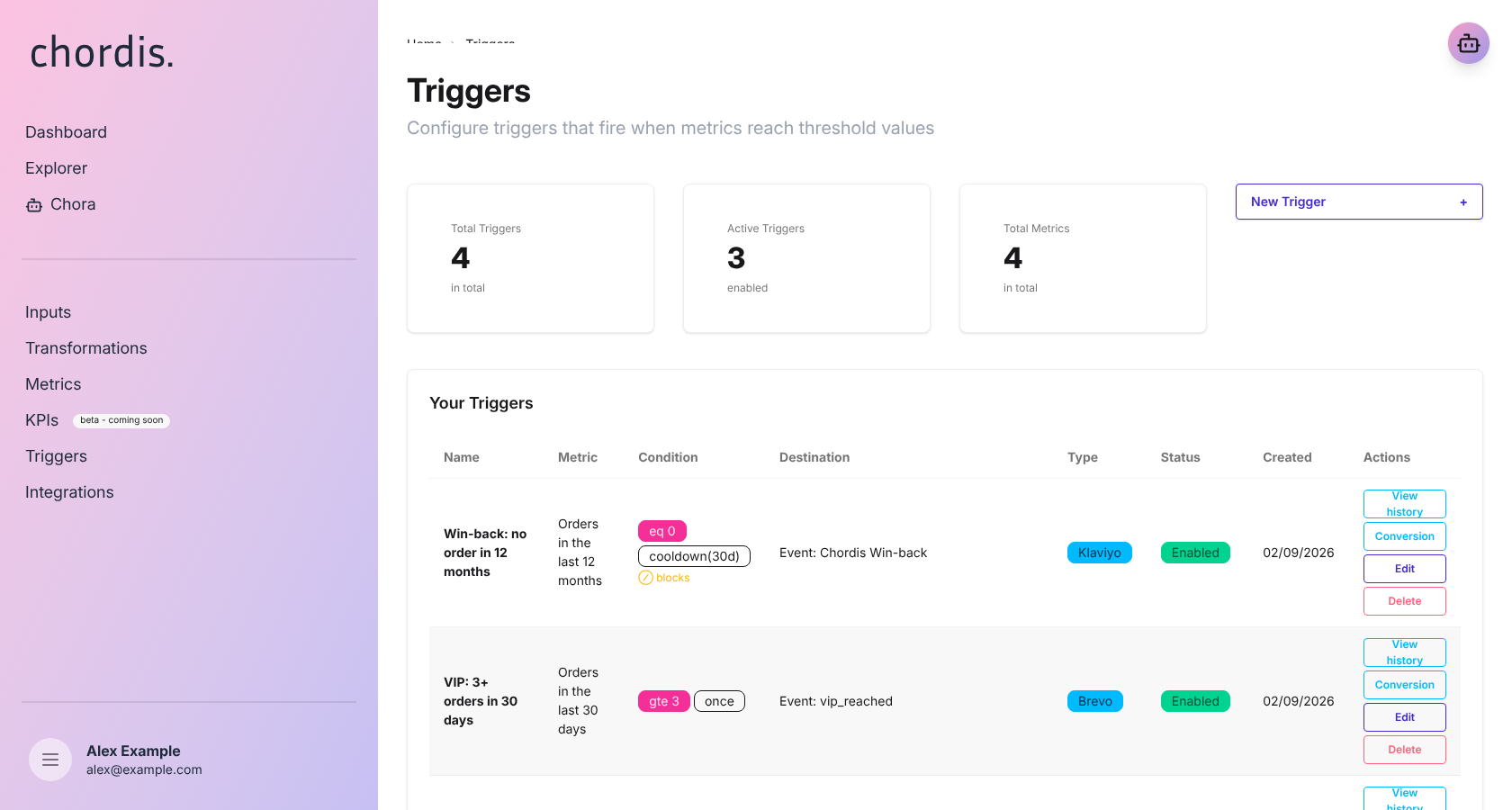
The cards at the top count Total Triggers, Active Triggers and Total Metrics. Select New Trigger to create a trigger.
Your Triggers lists each trigger with:
- Name and Metric.
- Condition: the comparison (for example
eq 0), how often it may fire (for examplecooldown(30d)), and blocks when skip rules are set. - Destination: the event name or webhook URL.
- Type: Klaviyo, Brevo or Webhook.
- Status: for example Enabled.
- Actions:
- View history: every evaluation and its result, see Trigger history.
- Conversion: the conversion rate over time, see Conversion.
- Edit: change the trigger, see Edit a trigger.
- Delete.
Example triggers
| Trigger | Fires when | Sends |
|---|---|---|
| Win-back: no order in 12 months | Orders in the last 12 months = 0, at most once per 30 days | Klaviyo event Chordis Win-back |
| VIP: 3+ orders in 30 days | Orders in the last 30 days ≥ 3, first time only | Brevo event vip_reached |
| Browse abandonment | Product views in the last 7 days ≥ 5, every time | Webhook call |