Create a trigger
Select New Trigger on the Triggers page.
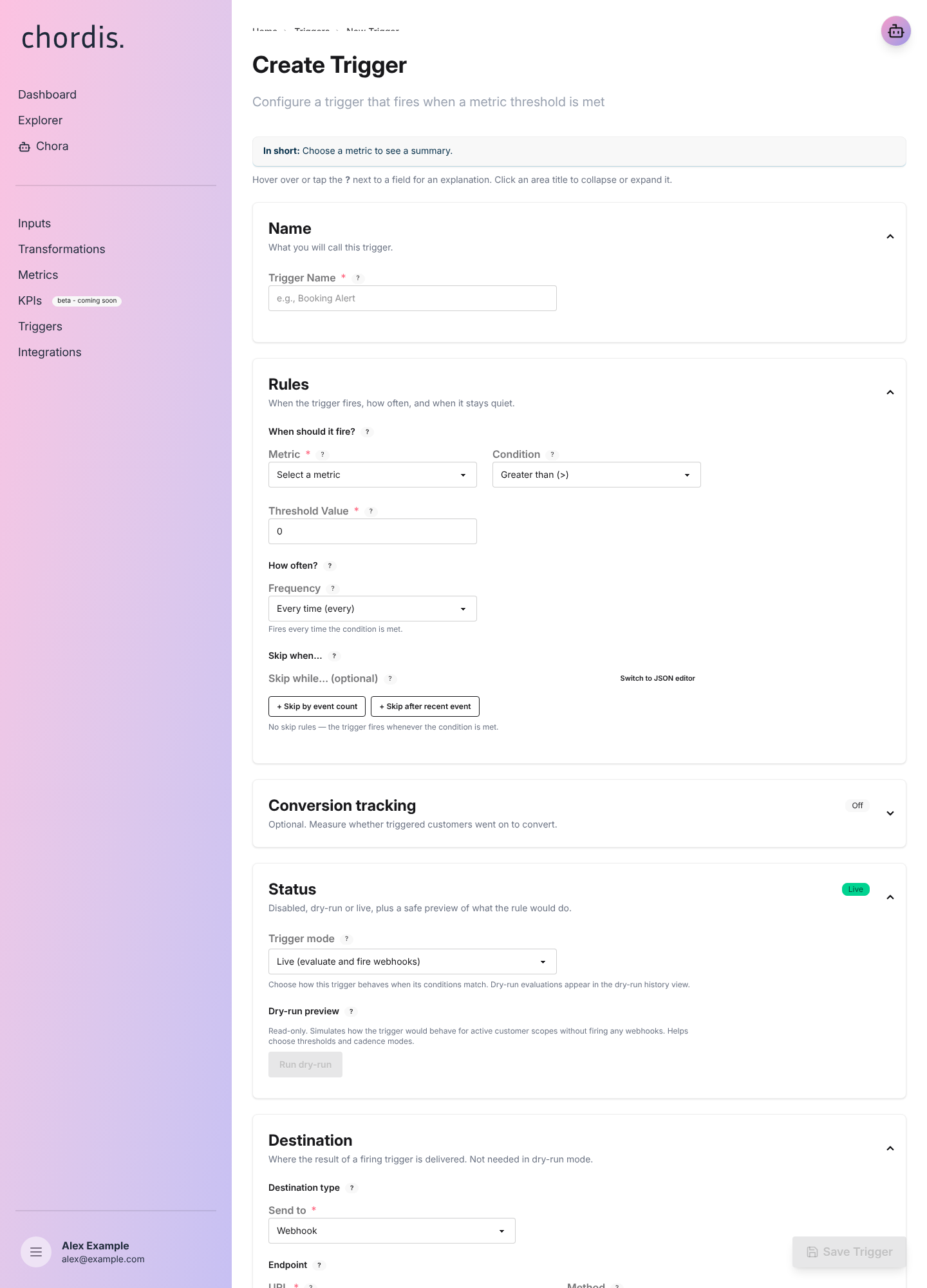
In short at the top sums up the trigger in one sentence as you fill in the form. Hover over or tap a ? for an explanation of a field. Click an area title to collapse or expand it.
Name
Trigger Name: a label for you. It appears in the trigger list and in the history.
Rules
When should it fire?
- Metric: the value to watch for every customer.
- Condition: how the value is compared, for example Equal to (=) or Greater than or equal (>=).
- Threshold Value: the number it is compared with.
How often? (Frequency)
- Every time (every): whenever the condition is met.
- First time only (once): once per customer.
- First time only, same as once (while_true): behaves like once.
- At most once per N days (cooldown): again after Cooldown Days.
Skip when… (optional): rules that keep the trigger quiet for a customer even when the condition is met. Add them with + Skip by event count or + Skip after recent event, or edit them as JSON with Switch to JSON editor.
Conversion tracking
Off by default. See Edit a trigger.
Status
Trigger mode:
- Disabled: not evaluated.
- Dry-run: evaluated and recorded, nothing is sent.
- Live: evaluated, and the destination is called.
Dry-run preview: select Run dry-run to try the rule on your current customers before saving. It uses the values in the form, even unsaved ones, and sends nothing.
Destination
Choose where a firing trigger is delivered. See Edit a trigger.