Trigger history
Select View history next to a trigger to see how it decided for each customer.
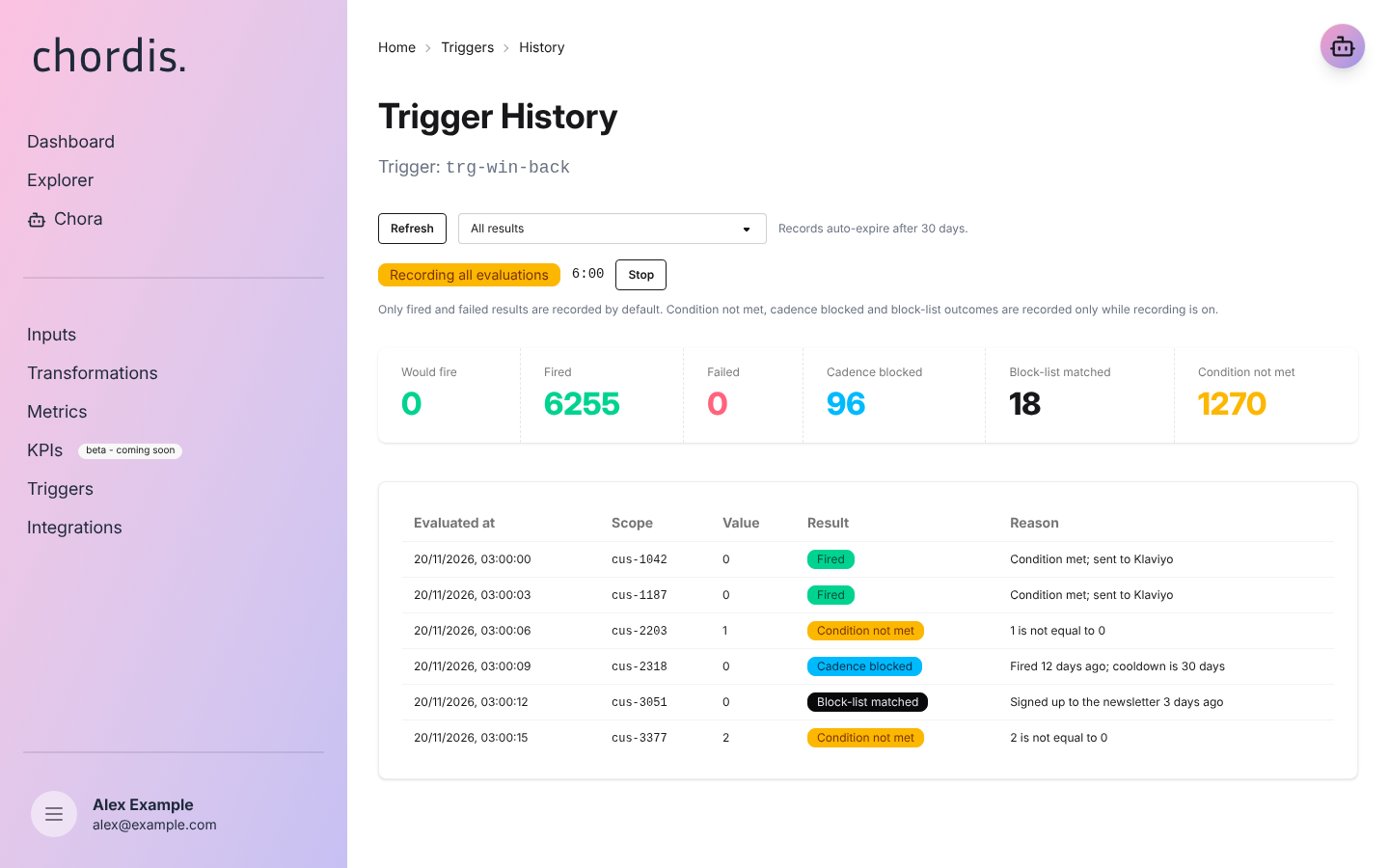
Each row shows when the trigger was Evaluated at, the customer (Scope), the metric Value, the Result and the Reason.
| Result | Meaning |
|---|---|
| Fired | The condition was met and the destination was called. |
| Failed | The destination call failed, for example a customer without an email. |
| Would fire | The condition was met in dry-run mode; nothing was sent. |
| Condition not met | The metric did not pass the threshold. |
| Cadence blocked | The frequency setting held it back, for example during a cooldown. |
| Block-list matched | A skip rule applied. |
| Disabled | The trigger was disabled. |
Recording
By default only Fired and Failed results are recorded. Select Record all evaluations for 10 min to also record the other results for ten minutes, for example while you test a new rule. While recording is on, the page shows Recording all evaluations with the time left, and Stop ends it early, as in the screenshot above. Records expire after 30 days.
The counters show how many results of each kind were recorded. Filter the list with the result selector, and select Refresh to reload.