Explorer
The Explorer shows the events Chordis has received and sent, across all your inputs.
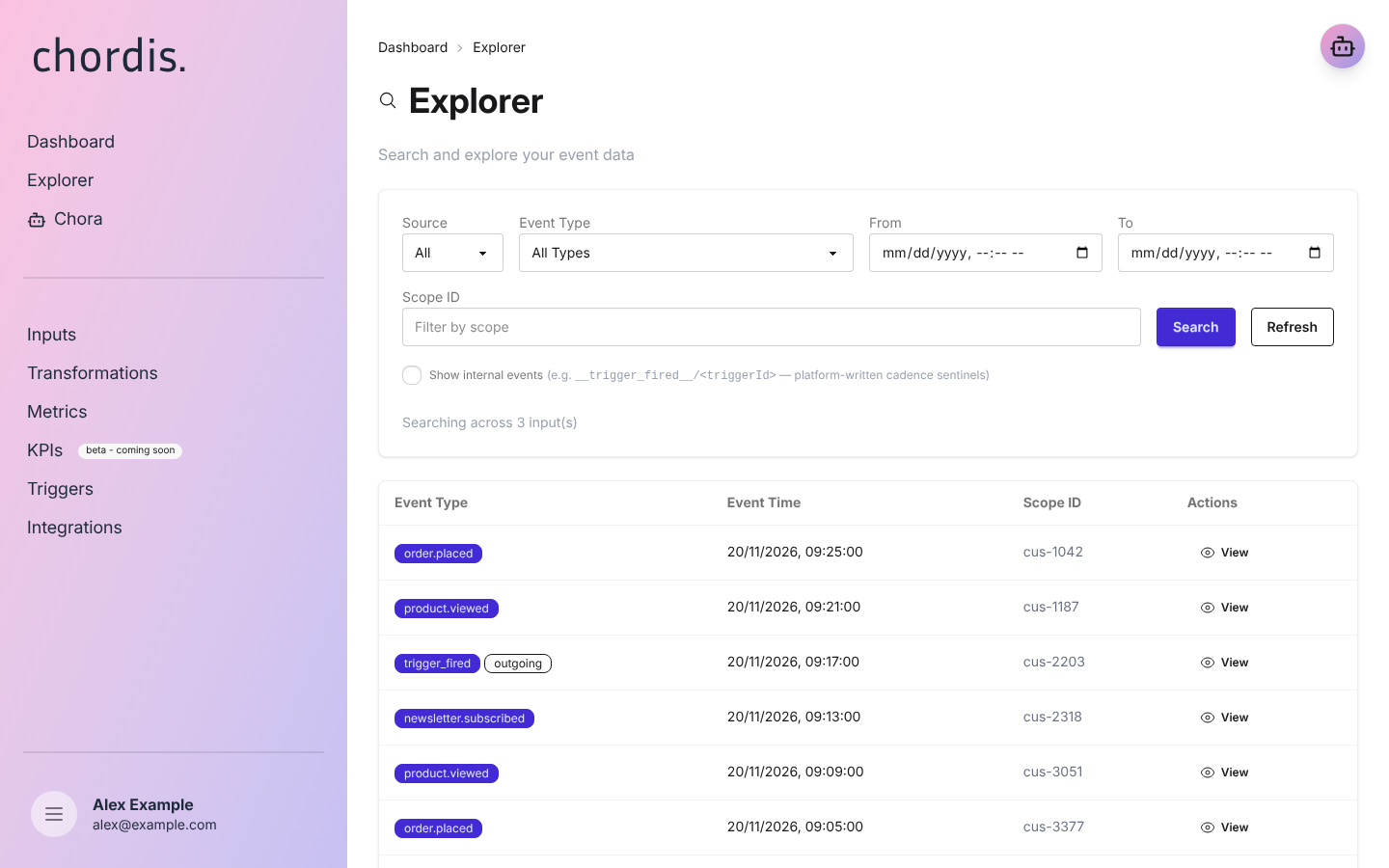
Filters
- Source: All, Incoming or Outgoing (triggers). Outgoing events
record what triggers sent and carry an outgoing label in the list, for
example
trigger_fired. - Event Type: one event type, or All Types.
- From and To: a time range.
- Scope ID: the events of one customer.
- Show internal events: also list events Chordis writes for its own bookkeeping.
Select Search to apply the filters, or Refresh to reload.
Event details
Select View on a row to open the event.
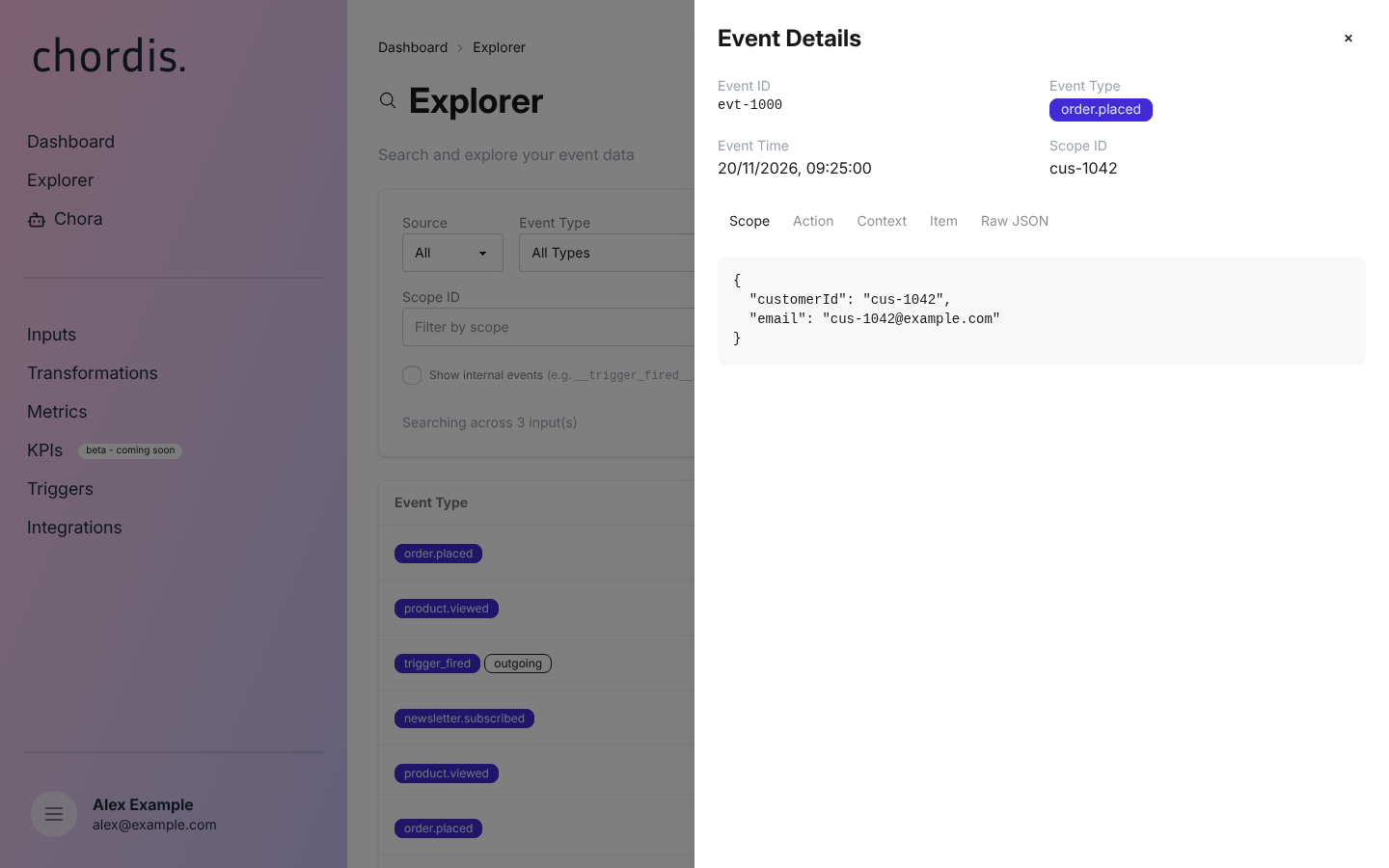
The panel shows the Event ID, Event Type, Event Time and Scope ID. The tabs show the event's Scope, Action, Context and Item parts, and the full event as Raw JSON.