Edit a trigger
Select Edit next to a trigger on the Triggers page. The form is the same as when you create a trigger, filled with the saved values. This example is a Klaviyo win-back trigger.
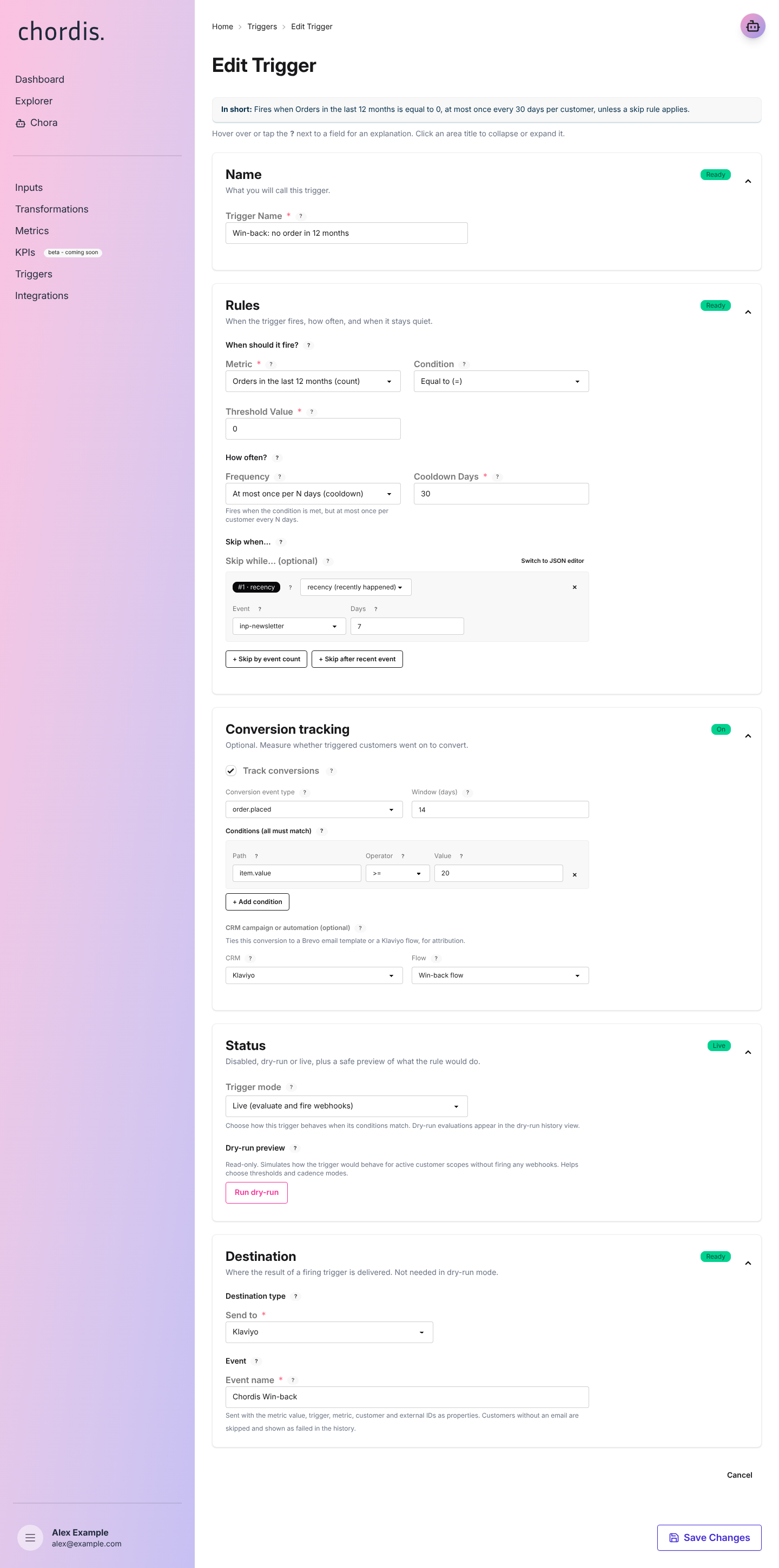
In short reads: Fires when Orders in the last 12 months is equal to 0, at most once every 30 days per customer, unless a skip rule applies.
Rules
- Metric: Orders in the last 12 months (count), Condition Equal to (=), Threshold Value 0.
- Frequency: At most once per N days (cooldown) with Cooldown Days 30.
- Skip while…: one recency rule. The trigger stays quiet for a customer who had a newsletter sign-up event in the last 7 days.
Conversion tracking
Turn on Track conversions to measure whether customers who were triggered went on to convert.
- Conversion event type: the event that counts as a conversion, here
order.placed. - Window (days): how long after the trigger a conversion counts, here 14.
- Conditions (all must match): optional filters on the conversion event,
for example
item.value>=20. Add rows with + Add condition. - CRM campaign or automation (optional): ties the conversions to a Klaviyo Flow or a Brevo email template, for attribution. Choose the CRM first. The list shows the flows or templates of the account connected under Integrations.
Results appear on the Conversion page and on the dashboard.
Status
Trigger mode and Dry-run preview, as described in Create a trigger.
Destination
Send to chooses where a firing trigger is delivered:
- Klaviyo or Brevo: Chordis records a custom Event name, such as Chordis Win-back, on the customer's profile, using the API key stored in Integrations. Use the event to start a flow or automation. The customer is identified by the email in their data; the event carries the metric value, trigger, metric, customer and external IDs as properties. Customers without an email are skipped and show as failed in the history.
- Webhook: Chordis calls your URL with the method, headers and payload you set.
Example: a Brevo trigger
The VIP: 3+ orders in 30 days trigger fires the first time a customer has at least three orders in 30 days, and records the event vip_reached in Brevo. It has no skip rules and no conversion tracking.
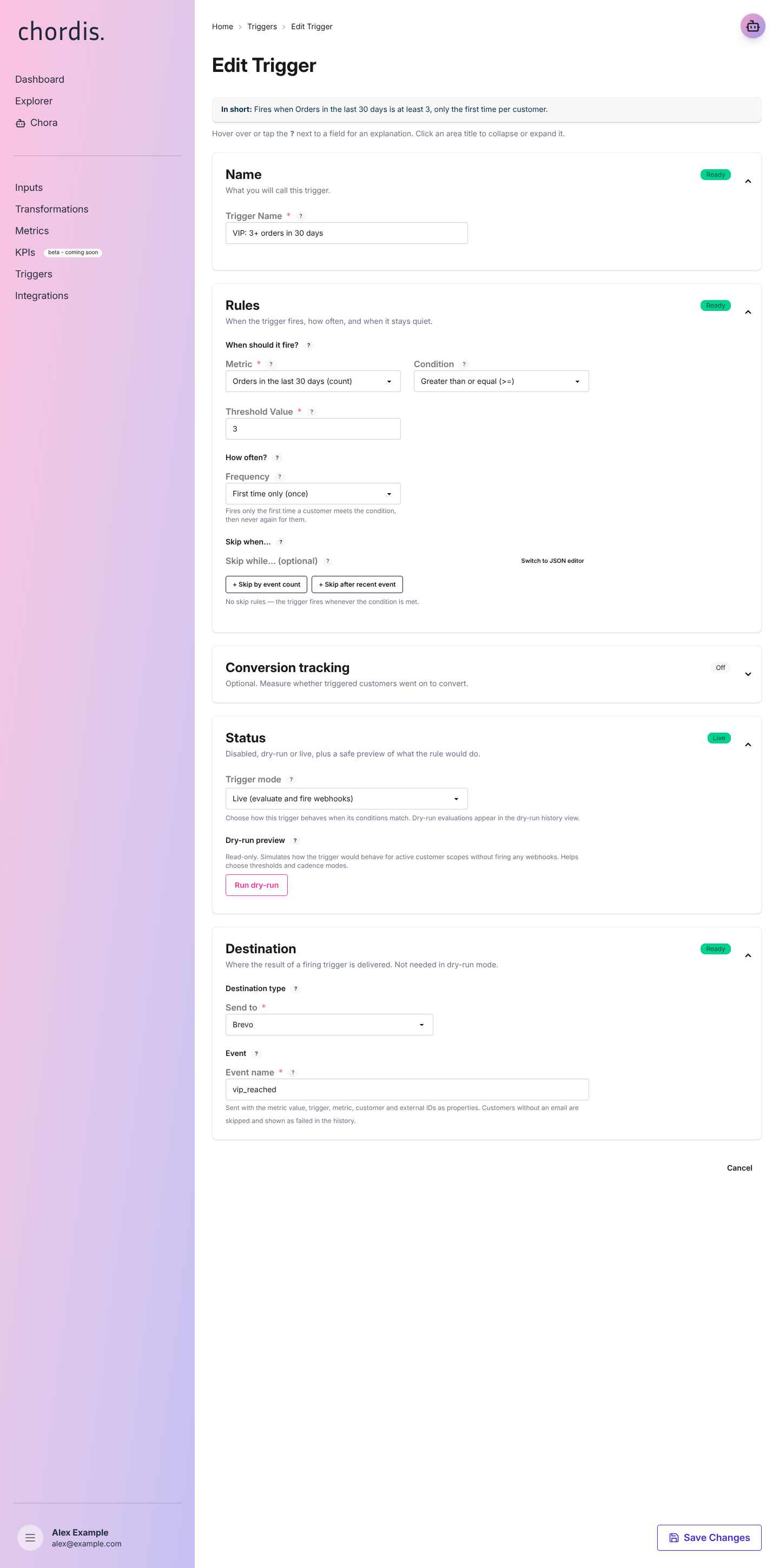
Select Save Changes to save, or Cancel.